🎁New User Welcome Offer: Get 3 Premium Tournament Entries FREE ($5+) and keep everything you win. No deposit required.🎁New User Welcome Offer: Get 3 Premium Tournament Entries FREE ($5+) and keep everything you win. No deposit required.🎁New User Welcome Offer: Get 3 Premium Tournament Entries FREE ($5+) and keep everything you win. No deposit required.🎁New User Welcome Offer: Get 3 Premium Tournament Entries FREE ($5+) and keep everything you win. No deposit required.
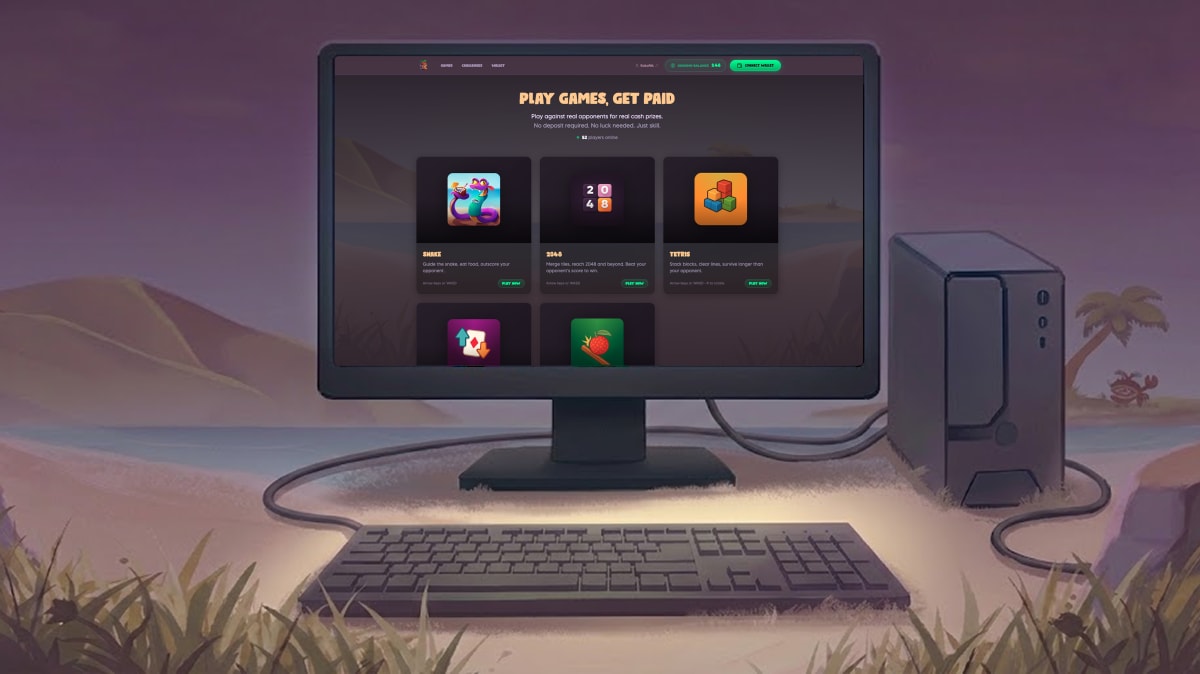
Kokomo is now playable on desktop browsers. Same games, same tournaments, same account — just on a bigger screen.
Log in at play.kokomo.games from any desktop browser and start competing. Your mobile progress syncs automatically.
What's Available on Desktop
Five Kokomo games are live on desktop right now:
Snake - Navigate with arrow keys instead of swiping. Many players find keyboard controls more precise for quick direction changes.
Tetris - Rotate and drop pieces using keyboard shortcuts. Desktop Tetris players often report faster reaction times compared to mobile touch controls.
Higher or Lower - Click to predict. Same card game, larger cards, easier to track your streak.
Plinko - Drop and watch on a full-sized screen. Ball physics display more clearly on desktop monitors.
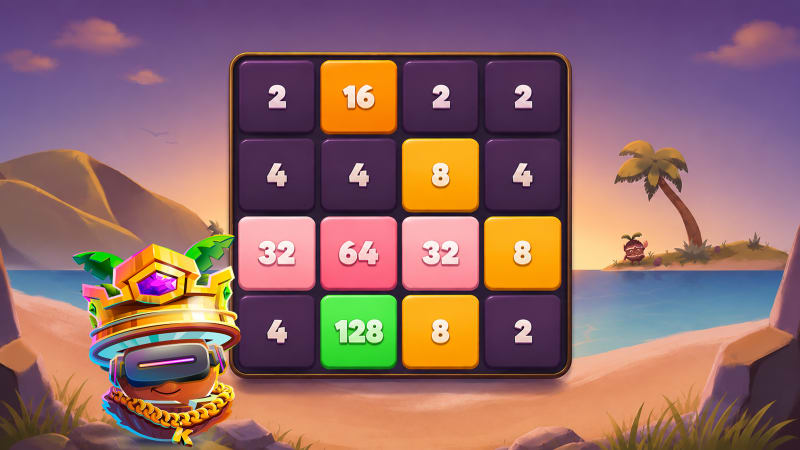
2048 - Merge tiles, reach 2048 and beyond!
Coming soon: Ludo and Flappy Dunk are being optimised for desktop and will launch shortly.
Desktop vs Mobile: What's Different?
Screen size
Desktop gives you more visual space. Tournament leaderboards, game stats, and in-game elements are easier to read without zooming or scrolling.
Controls
Games like Snake and Tetris support keyboard controls. Arrow keys for Snake, spacebar and arrows for Tetris. Some players prefer this over mobile swipe/tap controls.
Same features
Everything else is identical. Tournaments, Quick Match, deposits, withdrawals, XP progression — all function the same way on desktop as they do on mobile.
Seamless sync
Your account works across both platforms. Start a tournament on mobile, finish attempts on desktop. Your balance, stats, and progress sync automatically.
How to Play on Desktop
Step 1: Open any browser (Chrome, Firefox, Safari, Edge — all supported)
Step 3: Log in with your existing account (or create one if you're new)
Step 4: Select a game and start playing
No download required. No separate desktop app. Just log in and play.
Who Should Use Desktop?
Tournament grinders
If you're running 20+ attempts in a daily tournament, desktop lets you play longer sessions without phone battery drain or screen fatigue.
Tetris and Snake players
Keyboard controls give you faster input response. If you're chasing high scores in these games, desktop might give you an edge.
Want to put your skills to the test?
Go head-to-head with a real opponent and win real cash
Multi-taskers
Desktop lets you keep Kokomo open in a browser tab while working. Check tournament standings between tasks or jump into a Quick Match during a break.
Anyone who prefers larger screens
Mobile works great, but some people just prefer playing games on a monitor. Now you can.
Desktop Controls
Snake:
- Arrow keys/ASDW: Move in four directions
Tetris:
- Arrow keys: Move pieces left/right/down
- R key: Rotate
- Down arrow (hold): Fast drop
Higher or Lower / Plinko:
- Mouse click: All interactions
Controls are intuitive. If you've played these games before, desktop controls feel natural within one or two attempts.
Does Desktop Affect XP or Rewards?
No. Platform doesn't matter.
Points earned on desktop count the same as points earned on mobile. XP, lootboxes, tournament prizes, Quick Match winnings — everything syncs to your account regardless of where you played.
Switch between mobile and desktop as much as you want. Your progress is tied to your account, not your device.
Common Questions
Do I need to create a separate account for desktop?
No. Use your existing Kokomo account. Same login works on both mobile and desktop.
Can I play on both mobile and desktop at the same time?
Not simultaneously in the same tournament or match, but you can switch between devices freely.
Are desktop players matched against mobile players in Quick Match?
Yes. Quick Match matchmaking doesn't separate by platform. Desktop and mobile players compete together.
Will more games come to desktop?
Yes. Ludo and Flappy Dunk are being optimised for desktop and will launch soon.
Does desktop support all browsers?
Yes. Chrome, Firefox, Safari, Edge, and other major browsers all work. Use whichever you prefer.
Why Desktop Matters
Mobile-first made sense when Kokomo launched. Most players wanted to compete from their phones.
But tournament players asked for desktop support. Grinding Snake attempts for hours on a phone isn't ideal. Running Tetris sessions with keyboard controls is faster. Checking leaderboards on a big screen is easier.
Desktop gives competitive players another option. Use mobile when you're out. Use desktop when you're home. Your account works everywhere.
Final Thoughts
Kokomo on desktop is live now. Four games available, two more coming soon. Same tournaments, same rewards, bigger screen.
Kokomo's FIFA 2026 World Cup Prediction Challenge is free to play. Predict groups, wildcards, and knockouts. $2,000 prize pool. Win cash and World Cup tickets via raffle. Two entry windows, three separate leaderboards.
Kokomo's FIFA World Cup 2026 Bracket Challenge lets you predict group stages, wildcards, and knockouts for the entire tournament. Compete on one leaderboard for prizes. Brackets lock June 11.
2048 is now live on Kokomo for desktop and mobile. Compete in Quick Match, 1v1 Challenges, or Private Tournaments. Merge tiles, maximise your score, and win real money.
Kokomo Games•
6 min read
Read More →
Ready to Put These Tips to Use?
Join Kokomo Games and start winning real money today